RASPBERRY PI
the computer that was made for kids
Parts Of A Raspberry Pi
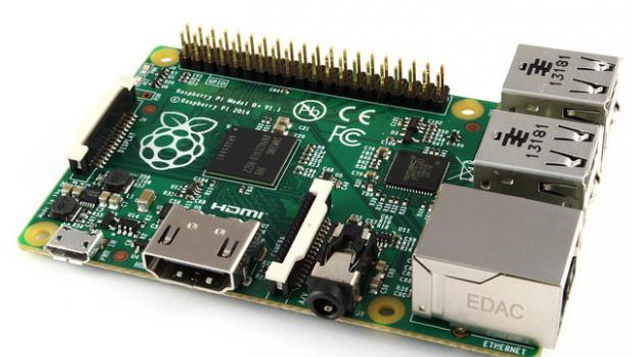
To understand how the Raspberry Pi works, you have to know about the parts and how they work together to make a Raspberry Pi. Here I will tell you what the parts are and what they do. My model will be a Model B+.

GPIO Pins
There are 26 pins, but only 17 of them are GPIO pins. The other 9 are power or ground pins.
Now, let be bring up something very unrelated (but not for long)... snap curcuits. Remember the time we did snap circuits? What do you think is the simplest circuit? The one that a battery powers a lightbulb, right? Well, when the GPIO is used as an output, it replaces the battery and switch.


USB
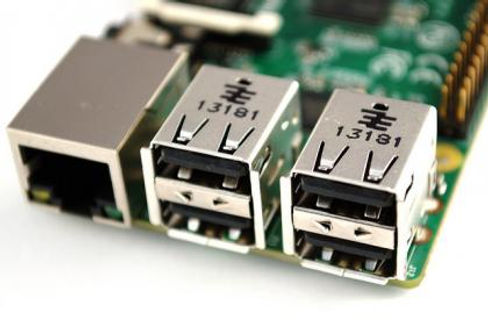
On Raspberry Pi Model A, there is 1 USB Port. On Raspberry Pi Model B, there are 2 USB Ports. On Model B+, there are four.
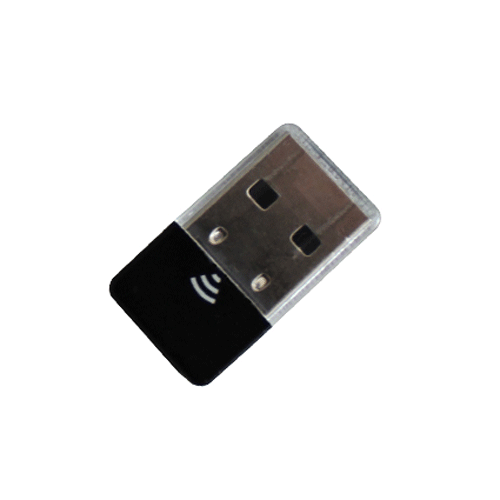
With USB Ports, you can plug in a Wi-Fi Dongle, USB Keyboard, and USB Mouse.

SD Card
An SD Card stores you information, such as saved images and documents on your computer. If you are going to install NOOBS (New Out Of Box Software) - an installation method that lets you install the distro of your choice even if you have no computing experience - 8 GB is the recommended minimum card size. For image installations 4 GB is the recommended minimum.
Ethernet/Wi-Fi Dongle
You can pick between a cord and a small plug in 'thing' for internet connection.
The Ethernet Power Network Cable connects to Ethernet, which is a widely used type of local area network.
The Wi-Fi Dongle is a little bigger than a quarter, and - as stated above - will fit in an USB Port.
Which one would you choose? If you are someone who just cannot make any choices (like me) you can do both! Easy solution!


Camera
Push the camera into the CSI Port and click click! The camera can take both photos and videos.
Speakers
Beatbox party!! But first you need a speaker. Connect the Speaker into the port and... There you go!


Micro USB Power Supply Cord
Plug it in, and it will provide power for the Raspberry Pi. Isn't it self explanatory?
When you plug it in, the Raspberry Pi turns on. Can anyone guess what will happen if you pull the plug? No, not a beatbox party!! It turns it off!
HDMI Monitor
Think of your home computer. It probably has a screen. The monitor is a screen. The Raspberry Pi can aslo use your TV as a screen, thanks to an HDMI Cable. Everyone say 'thank you HDMI Cable' on the count of 3. 1, 2, 3, GO!
All you have to do is plug in the monitor - easy!


